Featured Applications: Note2Day | smartWatchM | SMS unAccent 2
System Tools: QuickColor | FEADIE | WingsLedOff | IE Keypad Mod | WirelessToggle | slideSpeaker | Kvído Píďo | SamsungBacklight | RoseLamp | SMS
For Fun: BT Spammer | WMCave
Show All / Hide All
|
QuickColor v1.1 (freeeware) |
QuickColor in action
|
Description |
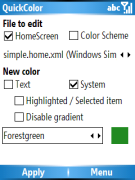
QuickColor allows you to change system colors and Home Screen font color directly on your Smartphone. Find the right color for you. |
| Supported Smartphones |
- Windows Mobile 5 for Smartphone
- Windows Mobile 6 Standard
|
| Info |
Have you set new wallpaper and you can hardly read a word on your Home Screen? Are you bored with the default Color Scheme? Smartmadsoft QuickColor helps you. It allows you change and set the default system color and the color of font on your Home Screen. Quick color will edit any Home Screen or Color Scheme directly on your Smartphone. Try it and find your favorite color.
Updated QuickColor 1.1 now can change the color of selected item in Home Screen and can change the System color with disabled gradient (black color will be now true black).
Basic instructions (soon comes regular help with pictures)
|
|
SMS v1.0 (freeware) |

SMS in action
|
Description |
Compress your text messages. |
| Supported Smartphones |
- Windows Mobile 5 for Smartphone
- Windows Mobile 6 Standard
|
| Info |
Lets fit more text into your SMS. Just write as you are used to and let SMS do the job. removes all spaces from the text and uppercase/lowercase some letters to make text readable. When Max is checked, SMS looks for some common use shortcuts (such as "u" = "you", "nite" = "night" and many others). If you are finished, click on the Continue button and continue sending message with the default Windows Mobile Messaging application. |
|
SMS unAccent v2.3.0 (freeware, former SMS deCestinator, CZE/ENG) |

SMS unAccent in action
|
Description |
SMS unAccent comes handy when you type SMS using T9 dictionary and you need to remove all the Czech/Slovak/Polish accented characters and/or space characters to save SMS space. Now with plenty new features and sending free SMS via web gateways (O2/T-Mobile/Vodafone). More info in this forum thread.
|
| Supported Smartphones |
- Windows Mobile 5 for Smartphone
- Windows Mobile 6 Standard
- Windows Mobile 6 Professional
- Android (SMS Zadarmo)
|
|
FEADIE (File Extension Association for Download in IE) v1.1 (freeware) |
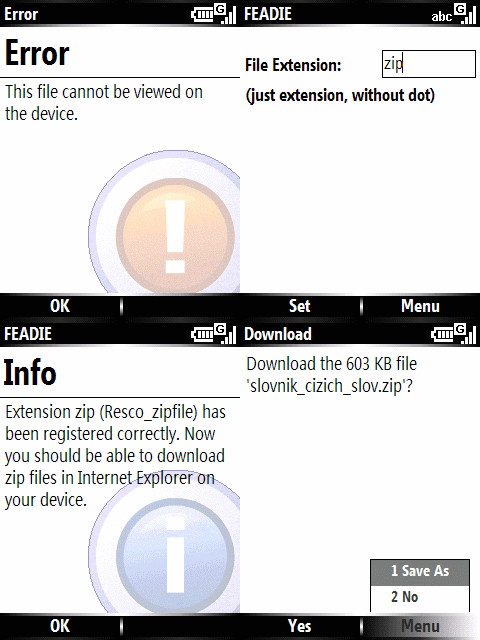
FEADIE in action
|
Description |
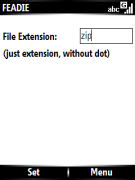
FEADIE helps when Internet Explorer keeps telling "Error: This file cannot be viewed on the device". Setting this file extension in FEADIE should solve this error message.
In case you want to download some file and it displays as text, go to \Windows\Profiles\guest\Temporary Internet Files\Content.IE5 and find the file by its filename. (This problem often relates files because many web servers are missing Content-Type for this extension.) |
| Supported Smartphones |
- Windows Mobile 5 for Smartphone
- Windows Mobile 6 Standard
|
|
Note2Day v1.0.1 (freeware) |
Note2Day in action
|
Description |
Personal diary for your WM smartphone
Note2Day turns your smartphone into your personal diary (journal). Add notes with timestamp. Browse and delete selected notes. All notes are stored in single text file so it's easy to import/export and edit your diary. |
| Supported Smartphones |
- Windows Mobile 5 for Smartphone
- Windows Mobile 6 Standard
|
|
WingsLedOff v0.1 (freeware) |
| No screenshot |
Description |
Turns off the blinking LEDs on HTC Wings.
- WingsLedOff turns off both green (network available) and blue (BlueTooth) LEDs
- WingsLedOff_BT_on turns off only the green but the blue LED still can blink
|
| Supported Smartphones |
- HTC S730 (Wings)
- HTC Kaiser (TyTN II)
|
| Installation |
Copy WingsLedOff to "\Windows\StartUp" folder. |
|
IE Keypad Mod v1.0 (freeware) |

IE Keypad Mod
|
Description |
Faster control of Internet Explorer using keypad shortcuts. |
| Supported Smartphones |
- Windows Mobile 5 for Smartphone
- Windows Mobile 6 Standard
|
| Installation |
After installation, restart is required. |
|
WirelessToggle v0.1 (freeware) |
| No screenshot |
Description |
If you need turn on WiFi, you have to press at least 4 keys by default to start WiFi (using Comm Manager).
After installation of WirelessToggle, just press and hold Comm Manager button to toggle Wifi (on/off). (Alternatively you can use attached and assign WirelessToggle to any button / shortcut you want to). And as always: There are few more programs that can be used for faster turning on/off WiFi but this keeps the RAM free as much as possible. |
| Supported Smartphones |
- Windows Mobile 5 for Smartphone
- Windows Mobile 6 Standard
- Windows Mobile 6 Professional
|
| Installation |
Run WirelessToggle (from "\Program Files\smartmadsoft\WirelessToggle") manually (just once) before using the shortcut (otherwise you wont be able to confirm dialog window asking you about running unsigned code) |
|
smartWatchM v1.2.5.0 (freeware) |
|
Description |
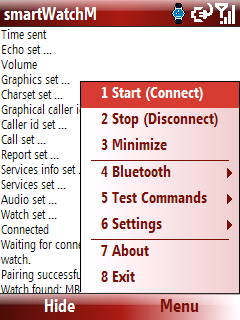
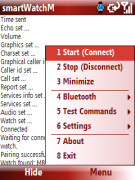
Notification utility for Sony Ericsson (Fossil/Abacus) BlueTooth watch MBW-200, MBW-150, MBW-100 and Prada Link (LBA-T950). Basic notification support for Citizen i:VIRT and LM Technologies LM957/LM958. |
| Supported Smartphones |
- Windows Mobile 5 for Smartphone
- Windows Mobile 6 Standard
- Windows Mobile 6 Professional
|
| Installation |
More info and Installation quide on xda-developers.
|
|
slideSpeaker v1.1 (freeware) |
| No screenshot |
Description |
Toggle loudspeaker by sliding keyboard. |
| Supported Smartphones |
- HTC S730 (Wings)
- HTC S710 (Vox)
- HTC Kaiser (TyTN II)
|
|
Kvído Píďo v1.1 (freeware, CZE) |
|
Description |
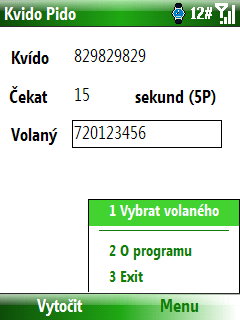
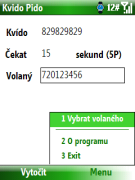
Kvído Píďo is a tool for easier dialing your contacts using "Platí to Kvído" service by O2 (CZ). More info in this forum thread.
|
| Supported Smartphones |
- Windows Mobile 5 for Smartphone
- Windows Mobile 6 Standard
- Windows Mobile 6 Professional
|
|
SamsungBacklight v1.3.1 (freeware) |
|
Description |
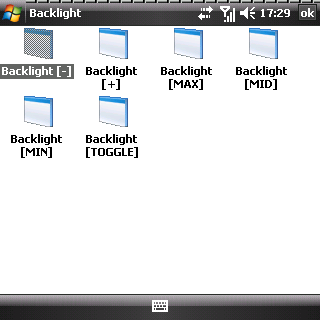
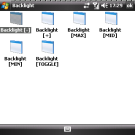
Tool for easier backlight switching. Any level (1 to 5) can be set via shortcut, 3 predefined levels (MIN/MID/MAX) and 3 TOGGLE options in Programs\Backlight menu. These shortcuts can be easily assign to a key.
Run "SamsungBacklight X" where X is number 1-6 or T for toggle. |
| Supported Devices |
|
|
BT Spammer v1.0 (freeware, beta) |
|
Description |
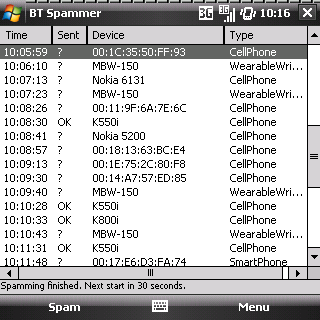
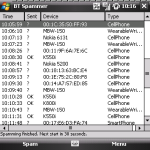
Bluetooth spamming tool. Automatical spamming interval with txt, vcard, and jpg support. More info in this forum thread.
|
| Supported Smartphones |
- Windows Mobile 5 for Smartphone
- Windows Mobile 6 Standard
- Windows Mobile 6 Professional
|
|
RoseLamp v0.1 (freeware) |
| No screenshot |
Description |
Turns HTC S740 (Rose) into a pocket lamp. |
| Supported Smartphones |
|
| Installation |
- Install RoseLamp from RoseLamp.
- Restart your device.
- Launch RoseLamp by pressing&holding the Camera button. (The Camera application is still accessible via single press. Use RoseLamp if you dont wan't to use this button association.)
|
|
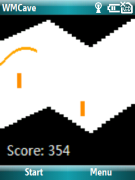
WMCave v0.1 (freeware) |
|
Description |
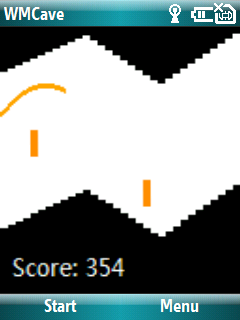
An old classic. Port of legendary Palm OS game "SFCave" to Windows Mobile. |
| Supported Smartphones |
- Windows Mobile 5 for Smartphone
- Windows Mobile 6 Standard
- Windows Mobile 6 Professional
|
|